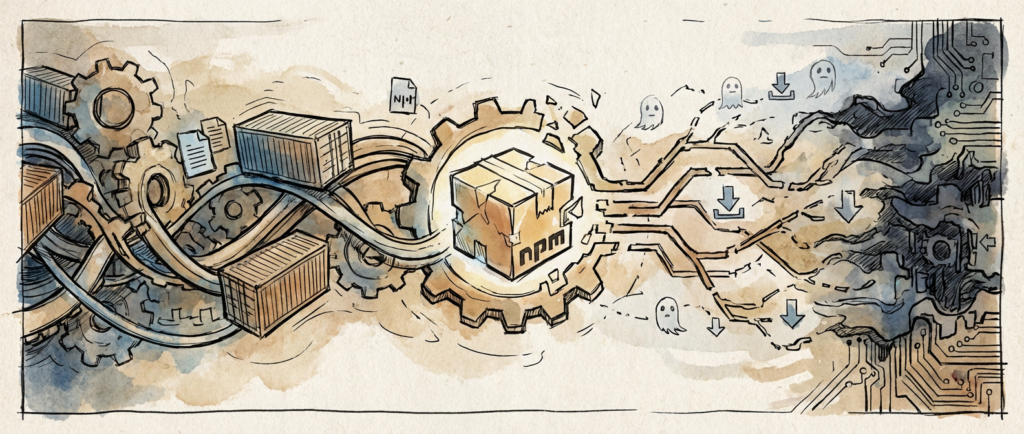
The DependencyDrift Campaign: What 2.3 Million Downloads Taught Us About Modern Supply Chain Warfare

When Legitimate Packages Become Trojan Horses

I’ve been tracking supply chain attacks since the days when most developers thought “dependency confusion” was just poor project organization. What I witnessed with the DependencyDrift campaign in January is something fundamentally different from the crude typosquatting we used to see. This wasn’t some script kiddie hoping you’d mistype “lodash” as “loadsh.” This was surgical precision wrapped in the kind of operational security that would make intelligence agencies proud.
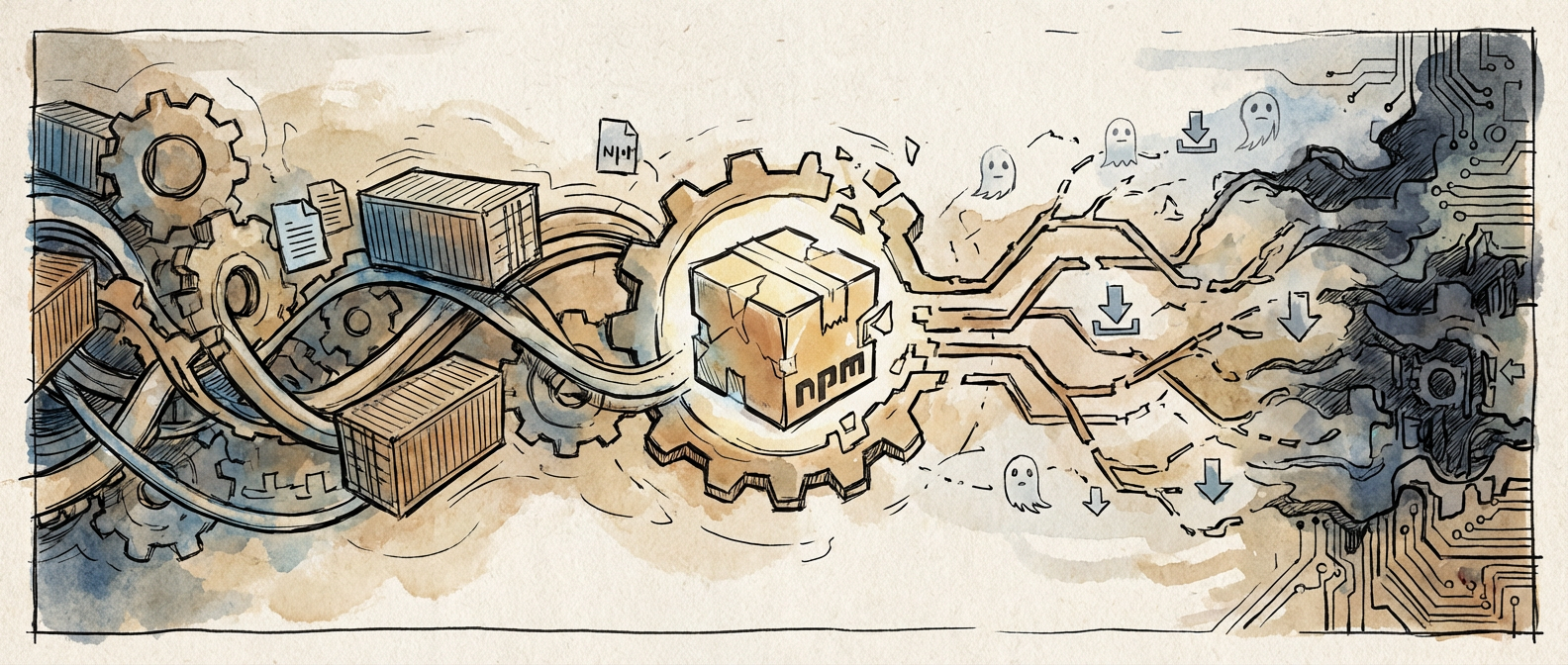
The DependencyDrift Campaign: What 2.3 Million Downloads Taught Us About Modern Supply Chain Warfare

The numbers tell only part of the story. One hundred and twenty-seven compromised NPM packages. Over two million downloads before detection. But here’s what kept me up at night: these packages weren’t obviously malicious. They contained real, working code that developers actually needed. The attackers had done their homework, studying popular libraries, understanding their APIs, and creating functional alternatives that happened to phone home to command and control servers buried in legitimate cloud infrastructure.

This is the maturation of a threat model I’ve been warning about for years. We’re no longer dealing with opportunistic attacks against careless developers. We’re facing adversaries who understand our ecosystem better than most of us do, and they’re using that knowledge to turn our own dependency management systems against us.

Illustration for The DependencyDrift Campaign: What 2.3 Million Downloads Taught Us About Modern Supply Chain Warfare

The Evolution of Package Repository Infiltration

The GitHub Security Advisory Database recorded something remarkable in the final quarter of 2025: a 340% surge in malicious package uploads, with nearly nine out of ten targeting dependencies for popular frameworks. That’s not random spray-and-pray activity. That’s targeted reconnaissance followed by systematic exploitation of the most critical chokepoints in modern software development.

What makes this particularly insidious is the shift in tactics. The old model involved creating packages with names similar to legitimate ones, hoping developers would make typos during installation. The new model involves creating genuinely useful packages that solve real problems while quietly exfiltrating data or establishing persistence mechanisms. I’ve analyzed dozens of these packages, and the code quality is often superior to many legitimate alternatives.

This evolution mirrors what we’ve seen in other domains of cybersecurity. Attackers have moved from noisy, obvious intrusions to patient, persistent campaigns that prioritize stealth over immediate impact. When your malicious package is actually solving developers’ problems better than the alternatives, detection becomes exponentially more difficult.

The dependency confusion attacks have followed a similar trajectory, with Snyk documenting a 156% year-over-year increase. Python’s PyPI and JavaScript’s NPM remain the primary targets, not because they’re inherently less secure, but because they’re where the most valuable targets congregate. If you want to compromise enterprise software, you go where enterprise developers go to solve their problems.

The Sophistication Arms Race

The most troubling revelation from recent research comes from Sonatype’s analysis of the threat landscape. According to the Sonatype State of Software Supply Chain 2026 report, sixty-seven percent of malicious packages now incorporate legitimate functionality with carefully embedded backdoors. This isn’t about replacing good packages with bad ones anymore. It’s about creating better packages that happen to be compromised.

I’ve reverse-engineered several of these hybrid packages, and the engineering sophistication is genuinely impressive. The malicious components are often dormant until specific conditions are met, making them nearly impossible to detect through static analysis. Some activate only in production environments, others trigger based on specific dependency chains, and the most advanced variants use environmental fingerprinting to avoid execution in sandboxed analysis environments.

Traditional scanning tools struggle with this approach because they’re designed to identify obviously malicious behavior, not subtle variations in otherwise legitimate code. When a package performs its advertised function flawlessly while occasionally making additional network requests that could plausibly be legitimate telemetry, human judgment becomes necessary. At scale, human judgment becomes the bottleneck that attackers are explicitly targeting.

Regulatory Response and Market Reality

The federal government’s response has been characteristically broad and administratively complex. The Executive Order on Software Supply Chain Security now mandates Software Bill of Materials documentation for all federal contractors, affecting more than twelve thousand companies as of March 2026. Having worked with several organizations navigating this compliance landscape, I can report that the implementation reality is as messy as you’d expect.

SBOMs are theoretically excellent tools for supply chain transparency. In practice, they’re only as good as the processes that generate and maintain them. I’ve seen SBOMs that list every dependency three levels deep with cryptographic signatures, and I’ve seen SBOMs that amount to glorified requirements.txt files with timestamps. The regulation doesn’t distinguish between these approaches, creating compliance theater that may provide limited security value.

The broader market has responded with predictable enthusiasm for vendor solutions promising automated SBOM generation and supply chain risk assessment. Some of these tools are genuinely useful, particularly those that integrate with existing CI/CD pipelines and provide actionable intelligence about dependency risks. Others are little more than dependency tree visualizers with security-themed marketing copy.

Building Resilient Dependency Management

After spending considerable time analyzing these evolving threats, I’ve developed a framework that goes beyond the typical “pin your dependencies” advice. Effective supply chain security requires understanding the entire lifecycle of your dependencies, from initial selection through ongoing maintenance and eventual replacement.

The first principle involves dependency archaeology. Before adding any package to your project, investigate its history, maintainer activity, and community engagement. Packages with irregular update patterns, minimal documentation, or maintainers with limited public presence deserve additional scrutiny. This doesn’t mean avoiding all new or niche packages, but it does mean making risk-informed decisions rather than optimizing purely for functionality.

The second principle centers on monitoring and observability. Your dependency management shouldn’t end at installation. Implement monitoring that can detect unexpected behavior from your dependencies, particularly network activity, file system access, or process spawning that doesn’t align with documented functionality. This requires infrastructure investment, but it’s infrastructure that pays dividends beyond security.

The third principle involves redundancy and fallback planning. Critical dependencies should have identified alternatives, preferably maintained by different organizations with different security models. When a package becomes compromised or abandoned, having a migration path already mapped reduces the pressure to make hasty decisions that might introduce new risks.

Supply chain attacks will continue evolving because the underlying incentives haven’t changed. Our software remains as interconnected as ever, our trust models remain largely implicit, and the economic pressures that drive rapid development haven’t diminished. What we can change is how we approach these inherent risks, building systems that fail gracefully when trust inevitably breaks down. The conversation about these evolving threats is just beginning, and I’d be interested in hearing how others are approaching these challenges in their own environments.



Why Your First Security Assessment Shouldn’t Start With a Penetration Test

The Tuesday Morning Wake-Up Call

I watched a junior developer’s face drain of color as our security consultant explained that their authentication system had been storing passwords in plain text for six months. The penetration test had uncovered it in under thirty minutes, along with twelve other critical vulnerabilities. What struck me wasn’t how bad these findings were, but how easily we could have prevented them. This team had jumped straight to external testing without doing basic assessment work that would have caught these issues during development.

Security vulnerability assessment isn’t about hiring expensive consultants to break your system after you’ve built it. It’s about creating systematic approaches that identify weaknesses before they become headlines. The methodologies I’ve seen work consistently in production environments share something important: they start small, build gradually, and work with your existing workflows rather than against them.

Asset Discovery: Know What You’re Actually Protecting

Before you can assess vulnerabilities, you need an accurate inventory of what exists. I’ve seen organizations waste months testing outdated systems while critical new services ran unmonitored. Start with automated network discovery tools like Nmap for internal scanning, but don’t stop there. Document application endpoints, database connections, and third-party integrations. When I helped a fintech startup prepare for their first security audit, we discovered they had seventeen microservices running in production that weren’t in any official documentation.

Build this inventory systematically using configuration management tools you likely already have. Terraform state files, Kubernetes manifests, and cloud provider APIs contain precise information about your infrastructure. Write simple scripts to export this data regularly. The goal isn’t perfection on day one, but establishing a baseline you can improve over time. I recommend starting with a spreadsheet that tracks service name, owner, external dependencies, and data sensitivity level.

Static Analysis: Catching Issues Before They Compile

Static application security testing catches vulnerabilities in source code without executing the program. This methodology fits naturally into development workflows because it operates on code developers already understand. Tools like SonarQube, Checkmarx, or even language-specific linters can identify SQL injection vulnerabilities, hardcoded secrets, and insecure cryptographic implementations during the build process.

I’ve found the most successful static analysis implementations start with a single repository and gradually expand. Configure your CI pipeline to run security scans on pull requests, but begin with warnings rather than blocking builds. This prevents the common mistake of overwhelming teams with thousands of findings they can’t reasonably address. Focus first on high-severity issues in authentication and data handling code. When I introduced static analysis at a healthcare software company, we started by scanning only the user registration service. Within three months, developers were requesting scans for their own modules.

The key insight here is treating static analysis as a teaching tool rather than a gatekeeper. When scans identify a potential buffer overflow, use it as an opportunity to discuss secure coding practices with the developer who wrote that function. This builds security knowledge across the team while improving code quality.

Dynamic Testing: Understanding Runtime Behavior

Dynamic application security testing examines running applications and identifies vulnerabilities that static analysis might miss. Unlike penetration testing, dynamic testing follows structured methodologies that less experienced teams can implement safely. Web application scanners like OWASP ZAP or Burp Suite can automatically test for common vulnerabilities like cross-site scripting and insecure direct object references.

Start dynamic testing in development or staging environments that mirror production configuration. I recommend beginning with authenticated scans of your application’s primary user workflows. Create test accounts with different permission levels and configure the scanner to crawl through typical user actions like login, profile updates, and data retrieval. This approach identifies authorization flaws and input validation issues that affect real user interactions.

Database security scanning represents another accessible entry point for dynamic testing. Tools like SQLMap can systematically test database connections for injection vulnerabilities, while network scanners verify that databases aren’t accessible from unintended network segments. When I worked with an e-commerce platform, we discovered their product search functionality was vulnerable to time-based SQL injection that could have exposed customer payment information. The dynamic scanner found this within hours, while code review had missed it for months.

Building Your Assessment Program

Effective vulnerability assessment methodologies combine multiple approaches rather than relying on a single technique. Begin by establishing regular asset inventory updates, maybe monthly for rapidly changing environments or quarterly for more stable systems. Layer in static analysis for new code and dynamic testing for major releases. This creates a foundation you can build upon as your security program matures.

Document your findings in a consistent format that includes vulnerability details, affected systems, business impact, and remediation steps. I use a simple severity classification based on exploitability and impact rather than complex scoring systems that confuse stakeholders. Critical vulnerabilities get immediate attention, high-severity issues are addressed within the current sprint, and medium-severity findings are prioritized for the next release cycle.

The methodology that works is the one your team will actually execute consistently. Start with tools you can configure in an afternoon rather than enterprise platforms that require months of setup. Automate what you can, but don’t let perfect automation prevent you from identifying vulnerabilities manually. As you discover patterns in your findings, you’ll naturally develop more sophisticated assessment approaches that fit your specific technology stack and risk profile.

What vulnerabilities do you think would surprise you most in your current systems? The assessment methodology that finds those answers is the one worth implementing first.


Why Go’s Memory Management Isn’t the Silver Bullet You Think It Is

The Allocation That Broke Production

I was debugging a production incident at 3 AM when I first truly understood that Go’s garbage collector wasn’t the magical solution everyone claimed. Our service was eating memory like a starving beast, despite running what appeared to be perfectly reasonable Go code. The culprit? A seemingly innocent slice operation that was keeping gigabytes of data alive because of how Go’s runtime manages memory references.

This experience taught me that while Go’s memory management is sophisticated, it operates under constraints and assumptions that don’t always align with real-world usage patterns. The marketing around “automatic memory management” obscures some fundamental realities about how the runtime actually behaves under pressure.

The Stack-Heap Dance and Escape Analysis

Go’s memory allocator makes decisions about where to place objects based on escape analysis, a compile-time process that determines whether a variable’s lifetime extends beyond its declaring function. The compiler examines your code and decides whether each allocation should live on the stack or escape to the heap. This sounds straightforward. It’s not.

Consider this innocent-looking function that returns a pointer to a local variable. The moment you return that pointer, the variable escapes to the heap because its lifetime now extends beyond the function scope. What appears to be a simple local allocation becomes a heap allocation that the garbage collector must eventually reclaim. I’ve seen codebases where developers unknowingly forced thousands of small allocations onto the heap simply by returning pointers from functions where they could have returned values.

The escape analysis decision often makes no sense until you dig deeper. Interface assignments, channel operations, and even innocent-looking closures can cause variables to escape. Running `go build -gcflags=’-m’` reveals these escape decisions, but I’ve rarely seen teams actually audit their escape patterns systematically. Most developers just write code and hope for the best. The result is heap pressure that could have been avoided entirely.

Garbage Collection Tuning and the GOGC Knob

The Go garbage collector uses a concurrent mark-and-sweep algorithm designed to minimize stop-the-world pauses, but it makes trade-offs that aren’t always well understood. The GOGC environment variable controls when garbage collection triggers, defaulting to 100, which means the collector runs when the heap grows to twice the size of the live data set after the previous collection.

This default works reasonably well for many applications. Then you hit the edge cases and everything falls apart spectacularly. A service processing large batches of data might allocate several gigabytes between collections, causing memory usage to spike far beyond what you’d expect. Setting GOGC to 50 halves the collection threshold but doubles the collection frequency. Setting it to 200 reduces collection frequency but allows much larger heap growth between cycles.

The real challenge comes with applications that have highly variable allocation patterns. A service that usually allocates a few megabytes per second but occasionally processes large files will see dramatic differences in GC behavior depending on when these processing spikes occur relative to the collection cycle. There’s no single GOGC value that handles both steady-state and burst scenarios optimally. You end up picking the least bad option.

Memory Layout Realities and Fragmentation

Go’s memory allocator divides the heap into spans of different size classes, from 8 bytes up to 32 kilobytes, with larger allocations handled separately. Objects of the same size class get allocated within the same spans, which helps with cache locality and reduces fragmentation. However, this system creates its own patterns of memory waste that aren’t immediately obvious.

If your application allocates many objects just slightly larger than a size class boundary, you waste significant memory. An object requiring 129 bytes gets allocated in a 144-byte slot, wasting 15 bytes per allocation. Multiply this across millions of allocations and the waste becomes substantial. I’ve optimized applications by restructuring data to fit better within Go’s size classes, sometimes achieving 20-30% memory reductions without changing functionality. It feels ridiculous that padding matters this much, but here we are.

The span-based allocation also means that memory isn’t returned to the operating system as aggressively as you might expect. Even after objects are garbage collected, the spans they occupied might remain allocated if they still contain live objects. This creates situations where your application’s memory usage appears to plateau at high levels even after processing large datasets, because the allocator retains empty spans for future allocations.

Slice and String Gotchas That Cause Leaks

The most insidious memory issues I’ve encountered in Go involve slices and strings that inadvertently keep large backing arrays alive. When you slice a large array or string, the resulting slice shares the underlying memory. A slice containing just the first ten elements of a million-element array still prevents the garbage collector from reclaiming the entire million-element backing store.

I debugged one particularly painful case where a log parsing service extracted small tokens from large log lines using string slicing. Each token held a reference to the entire original line, preventing garbage collection of multi-megabyte log entries. The fix required explicitly copying the token strings to break the reference to the original data, but identifying this pattern took hours of heap profiling and a lot of coffee.

Similar issues occur with slice operations. Taking a small slice from a large slice and keeping it around prevents collection of the original backing array. The `copy` function becomes essential in these scenarios, not for performance, but for correctness of memory usage. These aren’t bugs in Go’s design, they’re consequences of the shared-memory optimizations that make slices efficient. But they represent a class of memory leaks that don’t exist in languages with different memory models.

Profiling Reality Check

The next time someone tells you Go’s memory management “just works,” ask them when they last profiled their application’s heap usage. The built-in profiling tools reveal allocation patterns that often surprise developers who assumed the runtime was handling everything optimally. I know because I was one of those developers. Memory management in Go is sophisticated and generally effective, but it operates under specific assumptions about allocation patterns and object lifetimes that don’t always match real applications.

Understanding these internals doesn’t mean abandoning Go or constantly micro-optimizing every allocation. It means developing intuition for when the runtime’s decisions align with your application’s needs and when they don’t. That understanding becomes critical when you’re trying to squeeze every bit of performance from a system or debug why your carefully written service is consuming far more memory than expected.


The Deployment Strategy Most Teams Skip (But Shouldn’t)

Last month I watched a team spend three days debugging why their Kubernetes rollout had mysteriously reverted to an older image version. The culprit wasn’t their CI/CD pipeline or a registry issue. They’d accidentally triggered a rollback through kubectl without realizing it, and their deployment strategy couldn’t distinguish between intentional and accidental changes. This scenario plays out more often than you’d think, and it highlights why choosing the right deployment strategy matters far beyond just “getting code into production.”

After running production Kubernetes clusters for the better part of a decade, I’ve seen teams gravitate toward the same handful of deployment patterns. Rolling updates get the lion’s share of attention, blue-green deployments make the conference talks, and canary releases capture the imagination of engineering managers. But there’s one strategy that consistently delivers better outcomes for most production workloads, yet remains surprisingly underutilized: recreate deployments with proper orchestration.

Why Rolling Updates Aren’t Always the Answer

Rolling updates feel like the obvious choice. Kubernetes handles them natively, they promise zero downtime, and they’re the default behavior most teams inherit. But rolling updates introduce complexity that many teams don’t fully account for. During the transition period, you’re running multiple versions of your application simultaneously. This creates challenges for stateful applications, database migrations, and any service that maintains in-memory caches or long-lived connections.

I’ve seen rolling updates cause subtle data corruption issues when newer pods started processing requests before database schema changes had fully propagated. The application didn’t crash, monitoring didn’t alert, but customer data ended up in an inconsistent state that took weeks to identify and resolve. Rolling updates also make debugging harder because you can’t easily determine which version of your code handled a specific request during the deployment window.

The resource overhead is another consideration that gets overlooked. During a rolling update, you need enough cluster capacity to run both old and new versions simultaneously. For resource-intensive applications, this can mean maintaining 200% of your normal resource allocation just for deployments. Teams often discover this constraint only when their deployment gets stuck because the cluster can’t schedule the new pods.

The Case for Orchestrated Recreate Deployments

Recreate deployments terminate all existing pods before starting new ones. This sounds like guaranteed downtime, which is why most teams dismiss the strategy immediately. But with proper orchestration through tools like Argo Rollouts or Flagger, recreate deployments can achieve better reliability and predictability than their rolling counterparts, often with minimal actual downtime.

The key insight is that recreate deployments give you a clean slate. Every request hits the new version, database connections start fresh, and caches begin from a known state. This eliminates an entire class of bugs related to version mixing and state transitions. When something goes wrong, you know exactly which code version is responsible. The debugging story becomes dramatically simpler.

I implemented this pattern for a financial services client whose application maintained complex in-memory state for real-time risk calculations. Rolling updates consistently caused calculation discrepancies because old and new instances had different views of market data. Switching to orchestrated recreate deployments eliminated these issues entirely. The brief service interruption was far preferable to the data integrity problems they’d been experiencing.

Blue-Green: When the Infrastructure Investment Pays Off

Blue-green deployments require running two identical production environments, which doubles your infrastructure costs. This overhead makes blue-green deployments feel expensive, but for certain workloads, the benefits justify the investment. The ability to perform a complete rollback in seconds by simply switching traffic between environments provides unmatched operational confidence.

The real advantage of blue-green isn’t the instant rollback capability, though that’s valuable. It’s the ability to run comprehensive testing against the full production environment before any customer traffic hits the new version. You can execute integration tests, performance benchmarks, and data validation checks against real production data without affecting live traffic. This catches issues that no staging environment can replicate.

Blue-green works particularly well for applications with complex startup sequences or those that need to warm caches before serving traffic efficiently. Instead of gradually shifting load to cold instances during a rolling update, you can warm the entire blue environment thoroughly before the traffic switch. A client in the gaming industry used this pattern to pre-populate Redis caches with player data, reducing response times during deployment windows from several minutes to under ten seconds.

Canary Releases: Beyond the Marketing Hype

Canary releases get tremendous attention in DevOps discussions, but most implementations I encounter are fairly basic. Teams typically route a small percentage of traffic to the new version and monitor basic metrics like error rates and response times. This approach catches obvious regressions but misses subtler issues that only manifest under specific conditions or with particular user segments.

Sophisticated canary strategies involve feature flagging, user cohort analysis, and business metric monitoring. Instead of randomly routing 5% of traffic to the new version, you can target specific user groups, geographic regions, or request types. This allows you to evaluate not just technical metrics but business outcomes. Are conversion rates similar? Do users exhibit different behavior patterns? Are support ticket volumes changing?

The most effective canary implementation I’ve managed involved a e-commerce platform that rolled out changes first to users in specific postal codes, then to customers with particular purchasing histories, before finally reaching the entire user base. Each stage included automated analysis of business metrics like cart abandonment rates and average order values. This approach caught several regressions that traditional monitoring would have missed, including a checkout flow change that reduced conversion rates by 0.3% – barely noticeable in aggregate error rates but significant in revenue terms.

Choosing Your Strategy: Context Over Convention

The deployment strategy that works best depends heavily on your application’s characteristics and operational constraints. Stateless microservices with comprehensive test coverage can often handle rolling updates without issues. Applications with complex state management or strict data consistency requirements benefit from recreate deployments. Services where even brief downtime has severe business impact justify the infrastructure investment for blue-green deployments.

Don’t underestimate the operational complexity factor. A simple recreate strategy that your team executes flawlessly is far better than a sophisticated canary setup that introduces confusion and increases the likelihood of deployment errors. I’ve seen teams spend months building elaborate deployment pipelines that ultimately made their systems less reliable because the complexity exceeded their operational capabilities.

The most resilient production systems I’ve managed use different deployment strategies for different services based on their specific requirements. Your user authentication service might use blue-green deployments for maximum availability, while your recommendation engine uses canary releases to validate algorithmic changes, and your batch processing jobs use recreate deployments for simplicity. Consider how your deployment strategy choices interact with your incident response procedures, monitoring capabilities, and team expertise.


The Evolution of Kubernetes Deployment Patterns: What Production Teams Will Actually Use in 2025

Beyond Rolling Updates: The Convergence of Safety and Speed

After shepherding production Kubernetes clusters through three major version upgrades and countless deployment disasters, I’ve watched the industry slowly abandon the naive optimism of “just use rolling updates for everything.” The reality is messier. Rolling updates work beautifully until they don’t, and when they fail, they fail in ways that make your monitoring dashboards light up like a Christmas tree while your customers experience the digital equivalent of a brown-out.

The Evolution of Kubernetes Deployment Patterns: What Production Teams Will Actually Use in 2025

What I’m seeing across organizations that actually run Kubernetes at scale is a move toward sophisticated deployment orchestration that treats safety and velocity as complementary forces rather than opposing ones. Teams are no longer satisfied with the binary choice between “fast and risky” or “slow and safe.” They want deployments that can move quickly through low-risk environments and automatically apply more conservative strategies as they approach production traffic.

This shift comes from a painful realization: the cost of a bad deployment in modern distributed systems isn’t just the immediate impact. It’s the cascading effects, the trust erosion, and the cognitive overhead of rebuilding confidence in your deployment pipeline. Smart teams are investing in deployment strategies that maintain system integrity even when individual components behave unexpectedly.

Canary Deployments Mature Beyond the Hype

Canary deployments have moved from “bleeding edge technique that Netflix uses” to “table stakes for any serious production environment.” But the implementations I’m seeing in 2024 bear little resemblance to the simple traffic-splitting examples you find in tutorials. Production canary systems have evolved into sophisticated feedback loops that combine real-time metrics, business KPIs, and automated decision trees.

The most interesting development is the emergence of business-aware canary logic. Instead of just monitoring technical metrics like error rates and response times, teams incorporate business signals like conversion rates, transaction volumes, and user engagement metrics into their canary decision algorithms. I’ve seen systems that will automatically abort a canary deployment if the new version causes a statistically significant drop in purchase completion rates, even if all the technical metrics look healthy.

Looking ahead, I expect canary deployments to become more intelligent about traffic selection. Rather than random sampling, we’re moving toward deployments that can intelligently choose canary traffic based on user segments, geographic regions, or device types. The tooling is already emerging. Flagger and Argo Rollouts are adding features that let you define custom traffic selectors, and service mesh integration makes it possible to implement these patterns without application-level changes.

Blue-Green Gets a Distributed Systems Makeover

Traditional blue-green deployments work great in the monolithic world where you can swap out entire environments with a load balancer configuration change. In distributed systems, they require a more thoughtful approach. The challenge isn’t just coordinating the deployment of a single service, it’s managing the complex interdependencies between services that may be on different release schedules.

I’m seeing teams develop what I call “service-scoped blue-green” patterns. Instead of maintaining complete duplicate environments, they’re creating isolated blue-green deployment zones for important service boundaries. A payment processing service might maintain full blue-green infrastructure, while less important services use rolling updates or canary deployments. This selective approach lets teams apply the right level of deployment safety based on actual business risk rather than applying the same strategy everywhere.

My bet is that we’ll see more sophisticated orchestration platforms that can manage cross-service deployment dependencies automatically. Imagine a system that understands your service topology well enough to coordinate blue-green deployments across service boundaries, ensuring that dependent services are updated in the correct order and that rollback procedures can cascade through the dependency graph. The building blocks exist in tools like Istio and Linkerd, but we’re still waiting for the orchestration layer that can make this automatic.

Feature Flags Become Deployment Infrastructure

The most significant trend I’m tracking is the convergence of deployment strategies and feature flag systems. Teams that initially adopted feature flags for A/B testing and gradual feature rollouts are discovering that the same infrastructure can work as a deployment safety mechanism. This isn’t just about hiding new features behind flags. It’s about architecting applications so that deployment and activation are completely separate concerns.

I’ve worked with teams that deploy new code to production constantly throughout the day, but activation happens through feature flag changes that can be rolled back in milliseconds. This approach eliminates many of the traditional risks associated with deployments because the actual behavioral changes happen through configuration rather than code changes. When something goes wrong, you’re not waiting for a new container to build and deploy. You’re toggling a flag.

The really interesting development is seeing feature flag systems evolve into sophisticated deployment orchestration platforms. LaunchDarkly and Split are adding capabilities that let you coordinate feature activations across multiple services, implement automatic rollback triggers based on metrics, and even integrate with traditional deployment tools to create unified deployment workflows. I predict that by 2026, the distinction between deployment tools and feature flag platforms will be largely academic.

The Automation Imperative and Its Limits

Every conversation about deployment strategies eventually comes back to automation. The pressure to automate deployment decisions is immense, and for good reason. Human judgment at 2 AM when a deployment is misbehaving is notoriously unreliable. But the teams that succeed with automated deployments understand the difference between automating execution and automating judgment.

Automated execution is relatively straightforward. If error rates exceed threshold X for duration Y, initiate rollback procedure Z. Automated judgment is much harder. Should you roll back a deployment that’s causing a 5% increase in response time but a 15% increase in successful transactions? The answer depends on context that’s often difficult to encode in simple rules.

What I’m seeing suggests that successful automation strategies focus on creating fast feedback loops rather than trying to automate every possible decision. Teams are building systems that can quickly surface deployment-related issues to human decision makers with enough context to make informed choices. My guess is that machine learning will eventually make automated deployment judgment more sophisticated, but we’re probably still years away from systems that can reliably make complex tradeoffs without human oversight.

The path forward isn’t about choosing the perfect deployment strategy. It’s about building deployment systems that can adapt their behavior based on the specific characteristics of each service and the current state of your production environment. If you’re working on deployment automation or have strong opinions about where these patterns are heading, I’d love to hear about your experiences in production environments.


Building Trust Through Code: A Senior Engineer’s Guide to Mentorship That Actually Works

The Foundation: Why Most Mentorship Programs Miss the Mark

After fifteen years of building distributed systems and watching countless mentorship attempts fizzle out, I’ve learned that most senior engineers approach mentorship like they approach architecture reviews. They focus on the big picture, the theoretical frameworks, the elegant patterns. The junior developer sits there nodding along while internally screaming because they can’t even get their development environment set up properly.

Building Trust Through Code: A Senior Engineer's Guide to Mentorship That Actually Works
Building Trust Through Code: A Senior Engineer’s Guide to Mentorship That Actually Works

The disconnect isn’t malicious. We’ve just forgotten what it feels like to stare at a blank terminal, wondering if typing “git init” will somehow blow up the entire codebase. We’ve absorbed so much knowledge that we skip the foundational steps that make or break a junior developer’s confidence in those first few months.

Good mentorship starts with understanding one thing: trust isn’t built by dispensing wisdom from your ivory tower. You earn it in the trenches, one working solution at a time. When you help someone solve their immediate problem instead of lecturing about theoretical best practices, you create space where actual learning can happen.

Illustration for Building Trust Through Code: A Senior Engineer's Guide to Mentorship That Actually Works
Illustration for Building Trust Through Code: A Senior Engineer’s Guide to Mentorship That Actually Works

Start Small: The Power of Immediate Wins

The first thing I do with any junior developer? I ignore whatever grand learning plan HR has cooked up and focus on one question: what’s the smallest, most concrete thing we can build together that will actually ship to production? Not a tutorial. Not a practice exercise. Real code that real users will interact with.

Last month, I worked with a new graduate who was completely overwhelmed by our microservices architecture. Instead of diving into service discovery patterns or explaining how our message queues work, we spent two hours building a simple health check endpoint. One route, one response, one commit. She deployed it to staging, watched it work, and suddenly the entire system felt less like some incomprehensible monster. When someone can point to running code and say “I built that,” something fundamental shifts in how they relate to the codebase.

This approach works because it creates a feedback loop of competence. Each small success builds confidence, which makes the next challenge feel doable instead of impossible. I’ve seen junior developers go from paralyzed by imposter syndrome to confidently proposing architectural changes within six months. The difference? We started with wins they could understand and own.

The trick is choosing problems that are genuinely useful but don’t require deep system knowledge. Add logging to an existing endpoint. Write a script to automate some tedious manual step. Build a simple dashboard that queries existing APIs. These tasks teach real skills while contributing actual value. That matters way more than any abstract coding exercise ever could.

Code Reviews as Teaching Moments

Code reviews are where mentorship either takes off or crashes and burns. I’ve watched senior engineers absolutely destroy junior developer confidence with reviews that read like academic papers. Full of abstract principles but zero practical guidance. The junior developer submits their first pull request, excited to contribute, only to get seventeen comments about variable naming conventions and a link to some 200-page style guide.

My approach is different. I limit myself to three real comments per review, and at least one has to be positive and specific. Instead of writing “this violates single responsibility principle,” I’ll say “this function is doing two things. Let’s pull the validation logic into its own method. Here’s how I’d approach it.” Then I include a code snippet showing exactly what I mean.

The most important part happens after the written feedback. I schedule a fifteen-minute call to walk through the changes together. Screen sharing, live coding, explaining my thought process as I refactor their code. This turns code review from a judgment session into collaborative problem-solving. The junior developer gets to see how experienced engineers actually think through problems in real time, which beats any written feedback by miles.

I also make sure to call out what they did well. Not generic praise, but specific observations about good decisions they made. “You handled the error case here really thoughtfully” or “This variable name makes the intent crystal clear.” This builds pattern recognition for what good code looks like. Junior developers often can’t tell the difference between their good instincts and their mistakes. Explicit positive feedback helps calibrate their judgment.

Building Systems Thinking Through Real Problems

You can’t teach systems thinking with diagrams on whiteboards. It happens when junior developers hit real problems that force them to trace connections between different parts of the codebase. My favorite technique? “Following the data.” When someone asks how something works, instead of explaining it, I walk them through tracing a single request from the browser all the way to the database and back.

We start with the network tab in Chrome DevTools, looking at the actual HTTP request. Then we find the route handler in the code, follow the service calls, examine the database queries, and track the response back up the chain. This isn’t theoretical. We’re looking at real logs, real database records, real network traffic. By the end, they understand not just how this one feature works, but how to investigate any feature in the system.

I ramp up complexity gradually. First, we trace through happy path scenarios. Then edge cases. Then error conditions. Eventually, we’re debugging production issues together, and they’re asking the right questions because they understand how to follow the data flow. This builds genuine debugging skills rather than just knowledge about our particular tech stack.

The goal isn’t to make them experts overnight. It’s to give them a systematic way to understand complex systems. Once they can trace through one request end-to-end, they can trace through any request. That’s a skill they’ll use regardless of what technologies they encounter next.

Creating Safe Spaces for Failure

The most important thing you can do as a mentor? Make failure normal. Not catastrophic production outages, but the small failures that happen every day in development. The misnamed variables, the overlooked edge cases, the features that work perfectly until they hit real user data and explode in weird ways.

I share my own screw-ups constantly. When reviewing their code, I’ll mention similar bugs I’ve written. “I spent three hours debugging this exact same issue last year. Here’s what I learned.” When they’re struggling with a concept, I’ll talk about when I first ran into it and what confused me. This isn’t fake humility. Learning complex systems is genuinely hard, and struggle is normal, not shameful.

I also create deliberate opportunities for low-stakes experimentation. Feature flags let junior developers deploy code that only affects internal users at first. Sandbox environments let them break things without consequences. Pair programming sessions where I’m explicitly there to help recover from mistakes take away the fear of trying new approaches.

What I’m aiming for is what I call “productive confidence.” Not arrogance that leads to reckless changes, but the quiet assurance that they can figure things out, fix their mistakes, and ask for help when they need it. This mindset separates engineers who grow quickly from those who plateau early because they’re too scared to take risks.

Mentorship that actually works isn’t about downloading knowledge from senior to junior. It’s about creating conditions where junior developers can build real expertise through guided practice with actual problems. If you’re a senior engineer reading this and you recognize some of your own mentorship struggles, I’d love to hear what’s worked for you. The best approaches always come from comparing notes about what actually moves the needle in those crucial early months of someone’s career.


Why Your Database Optimizations Keep Failing (And The One That Actually Worked)

Three years ago, I watched our primary database server’s CPU spike to 98% at exactly 2:17 PM on a Tuesday. The query that brought us to our knees was supposed to be simple: fetch user preferences for our mobile app’s notification system. What should have taken 50 milliseconds was taking 15 seconds. Our monitoring showed 50,000 users were getting timeout errors. The fix everyone suggested was obvious: add an index. That fix made things worse.

Database optimization failures follow predictable patterns. Most teams jump straight to indexing without understanding their query patterns. They tune individual queries without seeing the bigger picture. They optimize for their current data size, not the dataset they’ll have in six months. The war stories pile up fast when you approach performance problems this way.

The Index Trap That Catches Everyone

Adding indexes feels like the universal solution to slow queries. The thinking goes: slow SELECT means missing index, so add one. But indexes aren’t free. Every additional index slows down INSERT and UPDATE operations because the database has to maintain those index structures. Worse, the query planner can choose the wrong index, leading to performance that’s actually slower than a table scan.

In our notification query disaster, the table already had twelve indexes. Adding a thirteenth for our specific WHERE clause created chaos where the planner would sometimes choose our new index, sometimes choose an existing partial index, and sometimes do a full table scan. The unpredictability hurt more than consistent slowness. The real problem wasn’t missing indexes. We were joining four tables and filtering on columns from three of them, forcing the planner into impossible choices.

The solution required rewriting the query to eliminate one join entirely by denormalizing user preference data into the main user table. Counter-intuitive, but it worked. Sometimes the best optimization is changing what you’re asking the database to do, not how you’re asking it to do it.

Query Plan Analysis Actually Matters

Most developers look at EXPLAIN output like it’s abstract art. Those numbers and operators tell a specific story about how the database plans to execute your query. Learning to read them isn’t optional if you want to solve real performance problems. The query planner is sophisticated, but it operates on statistics and heuristics that don’t always match your data’s reality.

I’ve seen queries where the estimated row count was 100 but the actual count was 50,000. The planner chose a nested loop join expecting to process a few rows and ended up doing millions of comparisons. The fix wasn’t an index or a configuration change. We needed to update table statistics with ANALYZE commands and adjust the planner’s cost model for our specific hardware.

Modern databases like PostgreSQL provide detailed execution statistics through pg_stat_statements. This extension tracks every query’s execution count, total time, and resource usage. When you’re hunting performance problems, this data shows you exactly which queries eat the most cumulative time. Often the slow query everyone notices isn’t your biggest problem. The query that runs 10,000 times per minute at 10ms each creates more load than the one that runs once per hour at 5 seconds.

Connection Pooling and Resource Contention

Database connections aren’t just network sockets. Each connection consumes memory for caching, transaction state, and temporary work areas. When your application creates 500 connections to handle traffic spikes, you’re not just using network resources. You’re fragmenting the buffer pool and forcing the database to context-switch between hundreds of processes or threads.

Connection pooling tools like PgBouncer or built-in application framework pools solve this by maintaining a fixed number of database connections and queuing application requests. But pooling creates its own headaches. Transaction-level pooling means you can’t use prepared statements across requests. Session-level pooling means long-running transactions can hold connections indefinitely. Statement-level pooling requires careful transaction management in your application code.

The configuration that worked for our team was session-level pooling with a maximum of 25 database connections per server, even though we had 200 application threads. This forced us to be disciplined about transaction scope and connection lifetime. Queries got faster because the database could maintain larger, more stable caches. The constraint improved our code quality by making inefficient database usage immediately obvious.

Storage and Memory Architecture Decisions

Database performance ultimately comes down to how efficiently you can move data between storage, memory, and CPU. Traditional spinning disks reward sequential access and large block reads. SSDs eliminate seek time penalties but have different characteristics around write amplification and wear leveling. NVMe drives can saturate your memory bandwidth before hitting storage throughput limits. Each storage tier requires different optimization strategies.

Memory configuration matters more than most teams realize. PostgreSQL’s shared_buffers setting determines how much data the database keeps in memory. Set it too low and you’re constantly reading from disk. Set it too high and you’re competing with the operating system’s buffer cache, effectively caching the same data twice. The sweet spot is usually 25% of total RAM, but it depends on your read/write patterns and whether you’re running other services on the same machine.

Work memory settings control how much RAM individual operations can use for sorting and hash joins. When a sort operation exceeds work_mem, it spills to disk and becomes dramatically slower. But setting work_mem too high means a few complex queries can exhaust your memory. This is where understanding your query patterns becomes critical. If you know your largest sorts need 500MB, you can tune accordingly. If you don’t know, you’re guessing.

The Optimization That Actually Worked

After three months of index tuning, query rewriting, and configuration adjustments, our biggest performance gain came from partitioning our largest table by date. This wasn’t a complex sharding scheme or distributed architecture. PostgreSQL’s native table partitioning let us split our 200-million-row events table into monthly partitions of 15-20 million rows each.

The improvement was immediate and dramatic. Queries with date filters only touched relevant partitions. Maintenance operations like VACUUM and ANALYZE ran against smaller datasets. Old data could be dropped by removing entire partitions instead of running DELETE statements. Most importantly, the query planner had better statistics and could make more accurate decisions about execution plans.

The lesson here is that some performance problems can’t be solved by tuning the database engine. Sometimes you need to change how your data is organized. Partitioning, archival strategies, and data lifecycle management are architectural decisions that have more impact than any amount of parameter tweaking.

Database optimization is detective work. Every slow query tells a story about your data access patterns, your schema design, and your application architecture. The tools and techniques I’ve described here aren’t magic bullets. They’re diagnostic methods that help you understand what’s actually happening when your database slows down. The next time you’re facing performance problems, resist the urge to add indexes immediately. Look at the query plans. Check your connection usage. Consider whether you’re asking the right questions of your data in the first place.


The Mentorship Trap: Why Most Senior Engineers Fail at Teaching

The Fundamental Misunderstanding About Technical Mentorship

After fifteen years of watching brilliant engineers fumble their way through mentorship relationships, I’ve come to an uncomfortable conclusion: we’re approaching this entirely wrong. The industry treats mentorship like it’s a natural extension of technical expertise, assuming that someone who can architect distributed systems can automatically teach others to do the same. This assumption has created more frustrated mentors and confused mentees than I care to count.

The Mentorship Trap: Why Most Senior Engineers Fail at Teaching

The core problem isn’t that senior engineers don’t want to help. Most of us remember the confusion of our early careers and genuinely want to pay it forward. The issue is that we’ve never been taught how to translate our hard-won knowledge into digestible, actionable guidance. We hand over our mental models like they’re complete instruction manuals, forgetting that these models took years to build and countless failures to refine.

I learned this lesson the hard way when I first started mentoring junior developers five years ago. My approach was to dump everything I knew about system design onto them, expecting they’d absorb it like a sponge. Instead, I watched talented engineers become paralyzed by information overload, second-guessing every decision because they couldn’t distinguish between critical principles and personal preferences. The mentorship relationship became a crutch rather than a launching pad.

Illustration for The Mentorship Trap: Why Most Senior Engineers Fail at Teaching

Why Traditional Code Review Mentorship Falls Short

Most mentorship in our field happens through code reviews, and this creates a systematic problem. Code review mentorship is reactive by nature. You’re always addressing what went wrong rather than building the mental frameworks that prevent problems in the first place. It’s like teaching someone to drive by only pointing out their mistakes after near-misses.

The feedback loop is also terrible. By the time you’re reviewing someone’s pull request, they’ve already spent hours or days going down the wrong path. The learning happens after the work is complete, when the context and decision-making process are already fading from memory. They learn to fix specific problems but miss the underlying reasoning that would help them avoid similar issues in the future.

I’ve seen senior engineers write detailed comments explaining why a particular approach won’t scale, complete with links to documentation and alternative implementations. The intent is good, but the mentee often walks away knowing what to change without understanding the deeper principles. They become dependent on the mentor’s judgment rather than developing their own.

The Pairing Paradox: When Shared Screens Create Distance

Pair programming seems like the obvious solution, and it can be incredibly effective when done right. But I’ve observed a consistent pattern: senior engineers tend to drive during pairing sessions, even when they don’t mean to. We see the solution path immediately and unconsciously steer the conversation toward it, robbing the mentee of the struggle that builds understanding.

The real learning happens in the messy middle, when someone is wrestling with a problem and testing different approaches. When we jump in too early with the “right” answer, we short-circuit this process. The mentee learns the solution but misses the problem-solving methodology that generated it. They become spectators in their own learning experience.

Effective pairing requires deliberate restraint. I’ve started using what I call “question-driven pairing,” where I limit myself to asking questions rather than providing answers. “What do you think will happen if we change this?” or “How would you test this assumption?” It’s slower and sometimes painful to watch someone work through something I could solve in minutes, but the retention and confidence building are dramatically better.

The key insight is that pairing should feel like collaborative problem-solving, not expert demonstration. When the mentee is actively thinking and making decisions, even wrong ones, they’re building the neural pathways that matter. When they’re passively watching, they’re just getting entertainment.

Building Systems Thinking Instead of Teaching Solutions

The most valuable thing we can teach junior engineers isn’t how to solve specific problems, but how to think about systems. This means shifting from solution-focused mentorship to principle-focused mentorship. Instead of explaining why microservices are good or bad for a particular use case, we should be teaching how to evaluate trade-offs systematically.

I’ve started structuring my mentorship around decision-making frameworks rather than technical knowledge transfer. When someone asks about database choices, we don’t just discuss PostgreSQL versus MongoDB. We talk about how to identify the constraints that matter, how to research options systematically, and how to make decisions with incomplete information. These meta-skills transfer across technologies and career stages.

This approach requires more patience because you’re teaching fishing instead of giving fish. But the compound returns are enormous. Engineers who learn to think in systems and trade-offs become force multipliers on their teams. They stop needing permission for every technical decision and start contributing to architectural discussions meaningfully.

The practical implementation involves a lot more “why” questions and a lot fewer “how” demonstrations. When reviewing someone’s design document, instead of suggesting better approaches, I ask them to walk through their reasoning. What assumptions are they making? What could go wrong? How would they know if it’s working? This builds the analytical muscles that separate senior engineers from junior ones.

The Long Game: Creating Independent Thinkers

The ultimate measure of successful mentorship isn’t how quickly someone learns to follow your patterns, but how effectively they develop their own judgment. This requires stepping back when every instinct tells you to step forward. It means letting people make recoverable mistakes and discover their own solutions, even when you could save them time and frustration.

I’ve started measuring my mentorship success by how often my mentees disagree with me. When someone has developed enough confidence and analytical skill to challenge my assumptions respectfully, I know the relationship is working. They’re thinking for themselves rather than deferring to my experience.

This evolution from dependent learner to independent contributor doesn’t happen overnight. It requires consistent investment in building someone’s confidence alongside their technical skills. The best mentorship relationships feel more like partnerships by the end, with both people learning from the exchange.

I’m still figuring this out, and I suspect every mentoring relationship requires its own approach. What I’ve shared here reflects my current thinking, shaped by recent experiences and ongoing reflection. I’d be interested to hear how other senior engineers have approached these challenges, especially if you’ve found different patterns that work better.


Building Your First CI/CD Pipeline: The Foundation Principles That Actually Matter

Start With the Problem, Not the Tools

After watching countless teams stumble through their first CI/CD implementations, I’ve learned that the biggest mistake isn’t picking the wrong tool or writing imperfect scripts. It’s starting with technology instead of understanding what problem you’re actually solving. Before you touch Jenkins, GitHub Actions, or any other platform, sit down and map out your current deployment process. Write down every single step someone takes to get code from a developer’s machine into production.

Building Your First CI/CD Pipeline: The Foundation Principles That Actually Matter

This exercise reveals the truth about your workflow. You’ll discover manual steps you forgot existed. You’ll find places where knowledge lives in only one person’s head. You’ll uncover dependencies that seem obvious until they break. I once worked with a team that spent three weeks building an elaborate pipeline only to realize they had no consistent way to handle database migrations. Their beautiful automation fell apart the moment someone needed to update a schema.

The goal isn’t to automate everything right away. Start by identifying the most painful, error-prone, or time-consuming parts of your process. Maybe it’s that twenty-minute manual deployment ritual that requires three terminal windows and a prayer. Maybe it’s running tests that developers skip because they take too long. Focus on automating one piece well rather than trying to solve everything at once.

Design for Failure From Day One

Your pipeline will fail. Not might fail, will fail. The question isn’t whether to plan for failure, but how to make failure visible, understandable, and recoverable. I’ve seen teams spend months perfecting their happy path only to watch everything crumble when a test flakes or a dependency goes missing. The systems that survive in production are the ones built with failure as a core concern.

Start with clear, actionable error messages. When your build breaks at 2 AM, the person fixing it might not be the person who wrote the code. Your pipeline output should tell them exactly what went wrong and what steps to take next. Instead of “Build failed,” write “Unit tests failed in user authentication module. Run ‘npm test auth’ locally to reproduce.” Instead of “Deploy error,” write “Connection to staging server timed out. Check VPN connection and server status at [link].”

Build in rollback mechanisms from the beginning. Your first deployment might work perfectly, but your fiftieth might introduce a critical bug. Having a reliable way to return to the last known good state isn’t just good practice. It’s what lets you sleep at night. This doesn’t have to be sophisticated initially. A simple script that redeploys the previous version will save you hours of panic debugging when something goes wrong.

Create circuit breakers for external dependencies. If your pipeline depends on a package repository, container registry, or third-party API, plan for what happens when those services are unavailable. Cache dependencies when possible. Use retries with exponential backoff. Have alternative paths or graceful degradation strategies. The internet is unreliable, and your pipeline needs to account for that reality.

Keep It Simple, But Not Simplistic

The best CI/CD pipelines I’ve encountered follow a deceptively simple pattern: trigger, build, test, deploy. But within that simplicity lies tremendous depth. Each stage should have a single, clear responsibility. Your build step produces artifacts. Your test step validates those artifacts. Your deploy step moves validated artifacts to their destination. When stages have overlapping responsibilities, debugging becomes exponentially harder.

Resist the urge to optimize too early. Your first pipeline doesn’t need to be the fastest, most feature-rich system imaginable. It needs to be reliable, understandable, and maintainable. I’ve seen teams spend weeks parallelizing builds that took four minutes, then struggle for months with race conditions and flaky tests. Start with a linear pipeline that works every time, then optimize the bottlenecks you actually encounter.

Make everything reproducible. Your pipeline should produce identical results whether it runs on your laptop, a colleague’s machine, or your CI server. This means pinning dependency versions, using containerization or virtual environments, and avoiding any configuration that lives outside your code repository. If someone can’t run your build locally and get the same result as the CI system, you have a ticking time bomb.

Document your decisions, especially the ones that seem obvious. Six months from now, you won’t remember why you chose to run integration tests before unit tests, or why you decided to deploy to staging automatically but require manual approval for production. Your future self, and your teammates, will thank you for leaving breadcrumbs.

Test Your Tests Before You Trust Them

A pipeline is only as reliable as the tests it runs, and unreliable tests are worse than no tests at all. They create a false sense of security when they pass and train developers to ignore failures when they flake. Before you automate test execution, make sure your tests themselves are worth automating.

Start with tests that run quickly and fail clearly. Unit tests should execute in seconds, not minutes. Integration tests should set up their own data and clean up after themselves. End-to-end tests should focus on critical user journeys rather than trying to cover every possible interaction. Each category has a different purpose, and mixing them leads to confusion about what’s being validated.

Create proper test isolation. Tests that depend on shared state, external services, or specific execution order will eventually cause mysterious failures that eat hours of debugging time. I once tracked down a pipeline failure to a test that only failed when run on Tuesdays, because it was checking the current date against a hardcoded value. Every test should be able to run independently and produce the same result regardless of when or where it executes.

Plan for test maintenance from the start. Tests require ongoing care just like production code. Set up clear ownership for different test suites. Create processes for updating tests when functionality changes. Build monitoring to detect when test suite execution time starts growing or flake rates increase. Neglected tests become technical debt that slows down the entire development process.

Your Next Step Forward

These principles might seem overwhelming if you’re staring at a blank CI/CD configuration file, but remember that every expert was once a beginner. Start with the smallest possible implementation of these ideas. Pick one manual step in your current process and automate it reliably. Add basic error handling and documentation. Run it a few times, learn what breaks, and fix those issues before moving to the next step.

The best way to understand these principles is to build something real with them. What manual deployment step is causing your team the most pain right now? That’s your starting point. I’d love to hear about what you’re building and what challenges you encounter along the way. Feel free to share your experiences or ask questions in the comments.


Why Most CI/CD Pipelines Fail: A Practitioner’s Audit of Common Design Sins

The Mythology of “Best Practices” in Pipeline Design

After fifteen years of watching teams build, break, and rebuild CI/CD pipelines, I’ve noticed something troubling. Most organizations implement what they believe are industry best practices, yet their deployments still fail at predictable intervals. Their pipelines take forty minutes to run basic tests. Their rollbacks require manual intervention. Their staging environments drift so far from production that they might as well be running different applications entirely.

The problem isn’t that teams lack access to good tooling or documentation. The problem is that most pipeline design advice treats symptoms rather than addressing fundamental architectural decisions. When someone tells you to “shift testing left” or “embrace fail-fast principles,” they’re offering tactical guidance without examining whether your pipeline’s underlying structure can actually support these goals.

I’ve debugged enough broken deployments at 2 AM to recognize the patterns. The teams with reliable pipelines didn’t get there by following generic best practices. They got there by making hard choices about coupling, by accepting specific trade-offs between speed and safety, and by designing their systems to fail in predictable ways. Let me walk you through what actually matters when you’re building something that needs to work.

Pipeline Coupling: The Hidden Killer of Deployment Confidence

The most destructive design flaw I encounter is tight coupling between pipeline stages. Teams build monolithic pipelines where a single failing unit test blocks database migrations, where integration tests depend on specific artifact versions from previous runs, where deployment scripts assume particular environmental states that only exist if earlier stages completed successfully. This creates cascading failure modes that are nearly impossible to debug under pressure.

Effective pipeline design requires treating each stage as an independent, stateless operation that can be executed in isolation. Your integration tests should be able to run against any valid build artifact. Your deployment scripts should verify environmental prerequisites rather than assuming them. Your rollback procedures should work regardless of how far the deployment progressed before failing.

I learned this lesson the hard way during a production incident where our deployment pipeline had been stuck in a partially completed state for six hours. The database migrations had run, but the application deployment failed because of a configuration error. Our rollback scripts assumed the application was running and tried to gracefully drain connections before reverting the database schema. Since the application wasn’t actually running, the rollback hung indefinitely waiting for connections that would never close.

The fix wasn’t better error handling or more sophisticated retry logic. The fix was redesigning our deployment stages to be truly independent operations that could succeed or fail without leaving the system in an inconsistent state. This meant accepting some duplication in our scripts and adding verification steps that seemed redundant at first glance. But redundancy in verification is not the same as redundancy in execution, and learning this distinction will save you from many midnight debugging sessions.

The Speed Versus Safety False Dichotomy

One of the most persistent myths in CI/CD design is that you must choose between fast pipelines and safe deployments. Teams routinely skip comprehensive testing in staging environments because they believe speed requires cutting corners. They implement feature flags as a substitute for proper integration testing, arguing that they can fix problems in production faster than they can catch them in pre-production.

This thinking fundamentally misunderstands where pipeline bottlenecks actually occur. In my experience, the slowest part of most deployment processes isn’t running tests or deploying code. It’s the human coordination required when deployments fail unpredictably. A pipeline that takes thirty minutes to run but succeeds 99% of the time is operationally faster than a pipeline that completes in five minutes but fails 20% of the time.

Fast, safe pipelines require parallel execution strategies that most teams never seriously consider. Instead of running integration tests sequentially after unit tests complete, run them in parallel against the same commit. Instead of deploying to a single staging environment, deploy to multiple isolated environments simultaneously and compare results. Instead of waiting for all tests to complete before starting deployment preparation, begin building deployment artifacts as soon as unit tests pass.

The key insight is that safety measures don’t have to be sequential bottlenecks. Most safety checks can run concurrently with other pipeline activities. The teams with genuinely fast pipelines have figured out how to parallelize verification rather than eliminating it. They’ve invested in infrastructure that supports concurrent operations rather than accepting sequential constraints as inevitable.

Environmental Consistency: Beyond Configuration Management

Every team knows that staging environments should mirror production, but most implementations of this principle are superficial. They ensure the same software versions are installed and the same configuration files are deployed, but they ignore fundamental differences in data patterns, traffic characteristics, and failure modes. A staging environment running against a sanitized subset of production data will not reveal the performance issues that emerge when your application processes real user behavior patterns.

Effective environmental consistency requires thinking beyond configuration management to include data lifecycle management, load pattern simulation, and failure injection. Your staging environment should regularly receive realistic data sets that reflect actual production usage patterns. Your integration tests should include scenarios that simulate the network latencies, database lock contention, and resource constraints that exist in your production infrastructure.

I’ve seen too many teams discover critical performance regressions only after deploying to production because their staging environment never experienced the specific combination of data volume, query patterns, and concurrent user behavior that triggered the issue. These aren’t edge cases that sophisticated testing frameworks can catch. They’re predictable consequences of running code against realistic operational conditions.

The solution isn’t more monitoring or better alerting, though both help. The solution is designing your testing infrastructure to include operational realism as a first-class requirement. This means accepting higher infrastructure costs for your staging environments and longer test execution times in exchange for dramatically reduced production incident rates.

Observability as a Design Constraint

Most teams add monitoring to their pipelines after encountering problems rather than designing observability into their deployment processes from the beginning. They instrument their applications thoroughly but treat their CI/CD infrastructure as a black box that either works or doesn’t. This creates situations where pipeline failures are difficult to debug because the tooling that reports success or failure provides no insight into why specific stages failed or what conditions might prevent similar failures in the future.

Pipeline observability requires treating your CI/CD infrastructure as a distributed system with the same monitoring requirements as your production applications. Every stage should emit structured logs that include timing information, resource utilization metrics, and environmental context. Every failure should generate enough diagnostic information to reproduce the issue without requiring access to the original execution environment.

When teams implement comprehensive pipeline observability, they discover patterns that aren’t visible through simple success/failure reporting. They notice that certain types of tests fail more frequently on specific days of the week because of data refresh schedules. They identify resource contention issues that cause intermittent timeouts during peak deployment hours. They correlate deployment success rates with infrastructure maintenance windows that weren’t obviously related.

These insights enable proactive pipeline optimization rather than reactive incident response. Teams can adjust their deployment schedules to avoid known contention periods, pre-provision resources during anticipated high-volume deployment windows, and implement circuit breakers that fail fast when downstream dependencies are experiencing issues.

If you’ve made it this far, you probably recognize some of these patterns from your own experience with CI/CD pipelines that seemed well-designed but failed in production. The details I’ve shared here come from real incidents and real solutions, not theoretical best practices. I’m curious about your own experiences with pipeline design decisions that seemed reasonable at the time but created unexpected operational challenges. What failure modes have you encountered that aren’t covered in the typical CI/CD guides?


The Long War Against Technical Debt: Lessons from Twenty Years in the Trenches

The Night Everything Broke

It was 2:47 AM when the pager went off. Our e-commerce platform had ground to a halt under Black Friday traffic, and I was staring at a codebase that looked like a Jenga tower built by caffeinated interns. Six months of “we’ll fix that later” had finally come due, and the bill was measured in millions of lost revenue per hour.

That night taught me something about technical debt that no architecture book had prepared me for: it’s not just about messy code. It’s about the weight of a thousand small compromises, each one reasonable by itself, that eventually crush your system’s ability to adapt. The checkout service couldn’t scale because it was tightly coupled to the inventory system. The inventory system couldn’t be updated because it shared a database with the user management service. The user management service was running on a server that nobody remembered how to provision.

Technical debt isn’t just a metaphor. It’s a living constraint that shapes every decision your engineering team makes. And like financial debt, it compounds faster than you think.

Building a Debt Inventory That Actually Matters

The first step in managing technical debt isn’t writing code. It’s understanding what you actually owe. I’ve seen teams obsess over code complexity metrics while ignoring the fact that their deployment process requires three separate manual steps and a blood sacrifice. Metrics are useful, but they’re not the whole picture.

I learned to categorize debt along three dimensions that actually predict pain: velocity impact, risk amplification, and knowledge concentration. Velocity impact measures how much the debt slows down future development. That spaghetti code in the user service might look ugly, but if nobody touches it and it works reliably, it’s not your biggest problem. Risk amplification looks at how debt magnifies the impact of failures. A monolithic architecture isn’t inherently evil, but when it means that a bug in the recommendation engine can bring down the payment system, you have a problem.

Knowledge concentration is the one most teams miss. When critical system knowledge exists in the head of one person who’s been there since the beginning, you’re one resignation away from a crisis. I’ve seen entire product launches delayed because the only person who understood the legacy authentication system was on vacation. These aren’t technical problems. They’re organizational vulnerabilities dressed up as code problems.

The debt inventory I maintain now tracks specific remediation costs, not just abstract badness scores. Each item includes an estimate of engineering weeks required to address it, the systems that would be affected by changes, and the current workarounds teams have developed. This transforms debt from an abstract concept into something that can inform real resource allocation decisions.

The Art of Strategic Neglect

Here’s what nobody tells you about technical debt: sometimes the right answer is to ignore it completely. I spent three years in the mid-2010s working on a legacy system that processed insurance claims. Parts of that codebase were genuinely awful. Nested conditionals eight levels deep. Variables named after the original developer’s pets. A configuration system that required editing and recompiling C++ header files.

We could have spent two years rewriting the entire thing in something modern and clean. Instead, we wrapped the worst parts in well-tested APIs and focused our energy on the pieces that actually needed to change. The pet-named variables stayed. The header file configuration stayed. The eight-level conditionals stayed. But the system processed 40% more claims with the same infrastructure, and we shipped three major features that directly generated revenue.

Strategic neglect isn’t about being lazy. It’s about recognizing that engineering time is finite and opportunity costs are real. Every hour spent refactoring stable legacy code is an hour not spent building features that customers actually want. The question isn’t whether code is beautiful. The question is whether improving it creates more value than the alternatives.

This requires honest assessment of change frequency and impact. If a module hasn’t been modified in eighteen months and isn’t causing production issues, leave it alone. If it’s blocking new feature development or causing weekly incidents, prioritize it. The goal isn’t perfect code. The goal is sustainable progress.

Small Fixes, Big Impact

The most effective debt reduction I’ve implemented has come through what I call “surgical improvements.” Instead of grand rewrites, these are targeted changes that unlock disproportionate value. Adding comprehensive logging to a previously opaque service. Extracting configuration from code into environment variables. Building a proper staging environment that actually mirrors production.

One of the highest-impact changes I’ve ever made took three days and touched fewer than fifty lines of code. We had a service that required manual deployment because the build process included steps that only worked on the lead developer’s laptop. I spent a morning understanding the dependencies, an afternoon automating the build in Docker, and a day updating the deployment scripts. That change eliminated two hours of manual work for every release and reduced deployment failures from 30% to near zero.

These surgical improvements work because they target systemic constraints rather than local code quality. They’re the engineering equivalent of removing bottlenecks from a manufacturing process. The improvement spreads through the entire system even though the change itself is small and localized.

The key is identifying which constraints actually matter. I maintain a simple rule: if a process requires tribal knowledge, manual intervention, or coordination between more than two people, it’s probably worth automating. If a system generates alerts that people ignore, it’s probably worth fixing or silencing. If debugging a class of problems requires more than two tools or systems, it’s probably worth consolidating.

Making Debt Visible to the Organization

Technical debt becomes dangerous when it’s invisible to non-technical stakeholders. Product managers who don’t understand why a simple feature request takes three weeks. Executives who can’t comprehend why the system that worked fine last quarter is suddenly unreliable. Sales teams promising integration timelines that ignore the reality of legacy system constraints.

I’ve learned to translate technical debt into business language that resonates with different audiences. For product managers, I frame debt in terms of feature velocity and opportunity cost. Instead of explaining why the codebase is hard to work with, I show them how reducing debt could accelerate delivery of features they care about. For executives, I focus on risk and competitive positioning. Instead of discussing code quality, I explain how debt limits the organization’s ability to respond to market changes.

The most effective approach I’ve found is building debt reduction into regular product planning cycles rather than treating it as separate engineering overhead. Every quarter, we allocate 20-30% of sprint capacity to what we call “platform improvements.” Some of these are genuine debt reduction. Others are infrastructure investments that prevent future debt. The key is making this allocation visible and predictable rather than something engineers have to fight for every sprint.

This approach works because it acknowledges that maintaining and improving existing systems is legitimate product work, not just engineering housekeeping. It also creates space for the kind of incremental improvements that actually move the needle without requiring massive organizational commitments to ground-up rewrites that may never finish.

Managing technical debt is about managing change over time in complex systems. It requires the same kind of long-term thinking and strategic discipline that characterizes other forms of organizational investment. The teams that do it well treat their codebases as living systems that need continuous care, not static artifacts that can be perfected once and then ignored.

I’m curious about your own experiences with technical debt management. What approaches have worked in your context? What strategies have you tried that seemed promising but didn’t deliver the expected results? The challenges are similar across organizations, but the solutions often need to be adapted to specific technical and organizational constraints.


Why Most Distributed Systems Fail the Same Way: A Pattern Recognition Exercise

The Conference Room Where Everything Goes Wrong

I was sitting in a conference room last month watching a team debug their microservices architecture when the familiar pattern emerged. Service A couldn’t reach Service B. Service B was overwhelmed by retries from Service A. Service C had started failing because it depended on both. The monitoring dashboard looked like a Christmas tree, and someone was already reaching for the “restart everything” button.

This wasn’t a startup with three engineers. This was a Fortune 500 company with a dedicated platform team, proper CI/CD, and all the modern tooling you’d expect. Yet they were experiencing the same cascade failure I’ve seen dozens of times before. The architecture patterns they’d chosen weren’t inherently wrong, but they’d implemented them without understanding the failure modes that emerge when systems actually run in production.

The Circuit Breaker That Doesn’t Break

Circuit breakers have become the default answer to service reliability, but most implementations I’ve audited are worse than useless. Netflix’s Hystrix library popularized this pattern, but teams often cargo cult the implementation without understanding the details. A circuit breaker with a 50% failure threshold and a 5-second timeout might sound reasonable until you realize it takes 20 failed requests to trip in a system that normally processes 2 requests per second.

The more insidious problem? Circuit breakers often mask underlying capacity issues rather than solving them. I’ve seen teams celebrate reduced error rates after implementing circuit breakers, not realizing they’d simply moved the failures upstream. The client service now appeared healthy because it was failing fast, but users were still getting errors. The circuit breaker became a sophisticated way to return 500 status codes more quickly.

A properly implemented circuit breaker requires understanding your baseline failure rates, request patterns, and recovery characteristics. It should degrade gracefully rather than fail completely, and it must integrate with your load balancing strategy. Most teams skip this analysis and wonder why their “resilient” architecture still falls over under load.

Event Sourcing as a Gateway Drug

Event sourcing attracts teams like a magnet attracts iron filings. The promise of complete audit trails, time travel debugging, and eventual consistency sounds compelling until you try to implement customer refunds in an event-sourced system. The theoretical elegance collides hard with practical concerns like event schema evolution, replay performance, and the fact that some business operations genuinely require strong consistency.

I’ve watched teams spend months building event stores and projection engines, only to realize they need to query data that spans multiple aggregates. Suddenly they’re building complex view models that look suspiciously like the relational database they were trying to escape. The event log becomes the source of truth, but the projections become the source of performance bottlenecks.

The pattern works brilliantly for specific use cases like financial transactions or user activity tracking. But treating it as a general-purpose architecture pattern leads to overengineered solutions that are harder to debug and reason about than traditional approaches. Event sourcing should solve a specific problem you actually have, not a problem you think you might have someday.

The CQRS Complexity Trap

Command Query Responsibility Segregation often gets bundled with event sourcing, but it introduces its own set of complications. The idea of separating write models from read models makes sense in theory, but implementation reality is more complicated. You’re essentially maintaining two different data models that must stay synchronized, and that synchronization becomes a distributed systems problem.

I’ve seen teams implement CQRS by duplicating their entire data layer, running separate write and read databases, and building complex synchronization mechanisms between them. They end up with eventual consistency where they didn’t need it and operational complexity that requires specialized knowledge to maintain. The read model becomes stale, the write model becomes a bottleneck, and debugging becomes an exercise in distributed systems archaeology.

The pattern shines when you have genuinely different read and write requirements. High-volume analytics queries shouldn’t impact transactional workloads. But most applications don’t have this problem. Most applications would benefit more from proper database indexing and caching strategies than from architectural patterns that introduce distributed consistency challenges.

Saga Patterns and the Coordination Problem

Distributed transactions are hard, so the industry pivoted to saga patterns as a way to manage long-running business processes across service boundaries. The choreography-based approach sounds elegant: services publish events, other services react, and the system eventually reaches a consistent state. Until you need to implement compensation logic for a failed hotel booking that happened three steps into a seven-step travel reservation process.

Orchestration-based sagas centralize the coordination logic, which makes them easier to debug but creates a single point of failure. The orchestrator becomes a god object that knows about every service in your system. You’ve solved distributed transactions by creating a distributed state machine, and now you need to make that state machine highly available and consistent.

Both approaches work, but they require careful design around failure scenarios that most teams don’t think through during the initial implementation. What happens when compensation fails? How do you handle partial failures in idempotent operations? How do you debug a saga that spans multiple services when each service logs in a different format? These aren’t theoretical concerns. They’re the operational realities that determine whether your distributed system works reliably in production.

The Architecture Decision You Can’t Take Back

The fundamental challenge with distributed systems patterns isn’t that they don’t work. They do work, when applied thoughtfully to problems that genuinely require their complexity. The challenge is that architectural decisions compound over time, and the costs of these patterns often don’t become apparent until months or years after implementation.

Every pattern introduces failure modes that didn’t exist before. Every service boundary creates a network call that can fail. Every eventual consistency guarantee creates edge cases that your business logic must handle. These aren’t bugs to be fixed. They’re fundamental characteristics of distributed systems that must be designed for from the beginning.

The teams that succeed with these patterns are the ones who implement them incrementally, measure everything, and remain skeptical of their own architectural decisions. They build extensive testing and monitoring around failure scenarios before they encounter them in production. They understand that distributed systems are fundamentally about managing complexity, not eliminating it.

Which patterns have you implemented in your systems? What failure modes surprised you when you actually put them under load?